 DEUCE
DEUCESports photography on iPhone: the settings that work
For sharp sports photos on iPhone, shoot in bright light, lock focus and exposure on the spot where the action will happen, use burst mode and pick the right lens. The phone chooses shutter speed itself, so light is your main control. More light means a faster shutter and less blur.
Coming soon to iPhone
What matters most for sports photos on a phone?
Light matters most, because it decides shutter speed. Shutter speed is how long the sensor collects light for one picture, and a short one freezes motion while a long one blurs it (Shutter speed on Wikipedia). In the Camera app the phone sets it automatically, and in bright sun it will pick a fast value. Indoors it slows down, and fast movement smears.
Which settings should you check before the match?
- Clean the lens with a soft cloth. Smudges cause haze around lights.
- Open Settings, then Camera, and check Use Volume Up for Burst if you want the volume button as a trigger.
- Turn on the grid in Settings, Camera, so you can level the horizon and place the player.
- Check the lens you want and walk to the right spot.
- Take a test frame and zoom in to check focus and blur.
How do you lock focus and exposure?
Tap on the spot where the player will be, then press and hold until AE/AF Lock appears. The phone now keeps focus and exposure fixed, so it does not hunt when a player or ball crosses the frame. Slide the exposure control down a little if the sky is bright, so the highlights stay clean.
Pick a spot with a clean background, like a wall or the sky. It helps the player stand out.
Why use burst mode?
Action peaks last a fraction of a second. Burst takes many frames per second, and you pick the best afterward. Apple describes burst mode in its Camera guide (iPhone User Guide). Shoot a burst as the racket meets the ball or as the swing reaches the follow-through, then keep one or two frames and delete the rest to save space.
Which lens should you use?
A longer lens needs more steadiness. If you do not have a tripod, lean on a rail or a wall.
| Lens | Use | Tip |
|---|---|---|
| 24 mm | Whole scene, small courts | Get close for impact |
| 35 mm | Mid-range action, candid moments | Stay near the side line |
| 55 mm | Players at moderate distance | Brace your elbows |
| 85 mm | Far action, faces | Needs bright light |
How do you handle low light?
When light is low, shutter speed drops. Stand under a lamp or choose frames where the player is still, like a serve toss or a breather. If your camera app has manual ISO and shutter, as DEUCE's camera does, raise the shutter and accept more grain. Grain can be part of the look, and it hides small imperfections. A blurred ball, on the other hand, usually looks like an error.
How do you edit action photos?
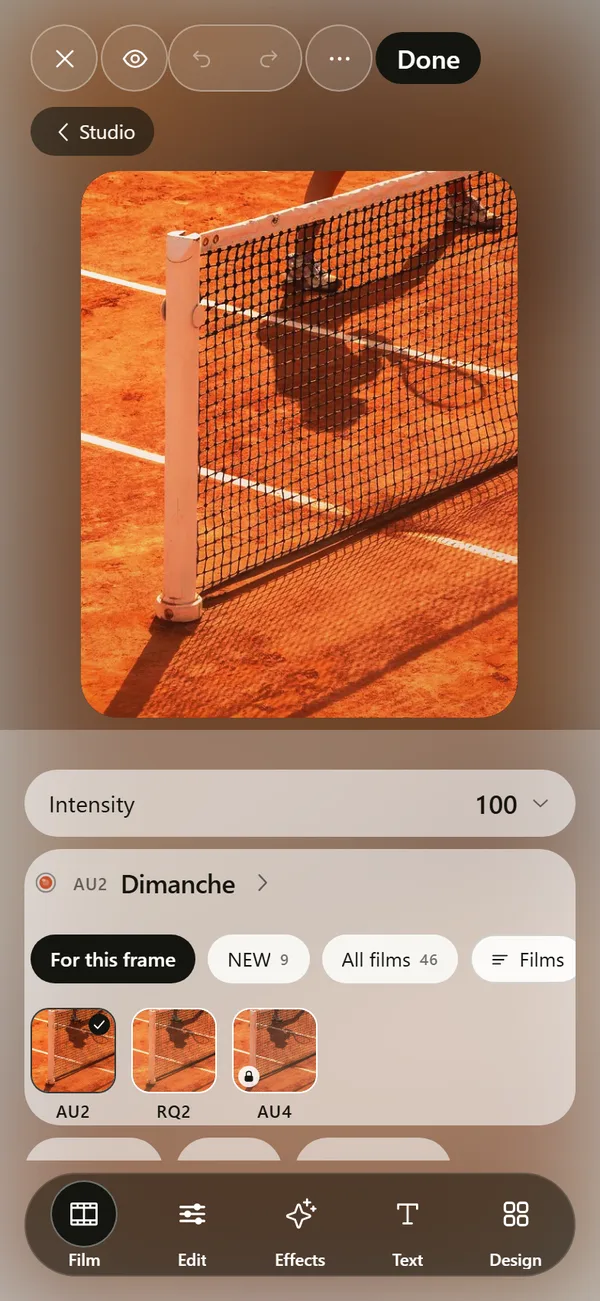
Start with exposure, then contrast, then pick a look. A film in DEUCE sets color, contrast, grain and glow together, and an intensity slider lets you hold it back. Crop to the player, straighten the horizon, and add a touch of grain. The photo editor lists the tools. Read how to make photos look like film on iPhone for the full order.
A checklist for match day
- Lens clean, battery above 50 percent, storage free.
- Grid on, burst ready, volume button set.
- Position chosen before the first point.
- Focus and exposure locked on the key spot.
- A few quiet details: shoes, ball, scoreboard.
- Delete misses the same evening, keep the best.
What about battery and heat?
Sun and burst shooting heat a phone quickly. Keep it out of direct sunlight between points, turn the screen brightness to automatic and carry a small power bank. If the phone shows a temperature warning, stop shooting until it cools.
Should you use Live Photo or video for sports?
Live Photo records a short moment around the shutter press, which can help you find the exact frame later. It also uses more storage. A short video is another option, and you can pull a frame from it, though the resolution may be lower. For action, burst gives the best chance of a crisp frame, and video is for when you want the movement itself. Pick one approach per match, so you are not switching modes in the middle of a point.
How do you position yourself for a match?
- Ask where you may stand, and what the club allows.
- Pick a spot that keeps the sun behind or beside you.
- Choose a background without clutter: a wall, a hedge, the sky.
- Move along the side line between games, never during a point.
- Stay low for dramatic angles, and keep your elbows tight to your body.
How do you keep your frames consistent for a post?
Decide on the look before the match. A film in DEUCE can be applied live in the camera, so the preview shows the look while you shoot. That lets you judge contrast and color as you frame. After the match, review the frames, keep the best ten and apply the same edit to all of them using a recipe. The export guide covers sizes and metadata.
What are the typical mistakes?
- Shooting everything at the widest lens, so players look tiny.
- Skipping focus lock, so the phone focuses on the net or the fence.
- Zooming digitally instead of moving closer.
- Not checking the lens for smudges.
- Keeping hundreds of near-identical frames and editing none of them.
How do you review your match photos?
Do it the same evening, while you remember the points. Zoom into each burst and keep only the sharp frames. Delete near duplicates and leave three to five winners. Then apply a look, crop to the player and check the edges. A short review habit makes your next match better, because you see what the phone missed and where you stood.
Can you shoot sports in portrait and landscape?
Yes, and you should choose on purpose. Portrait suits a single player and posts in 4:5 or 9:16. Landscape suits rallies and a view of the whole court, and it crops well to 4:5 later. Shoot a bit wider than needed so you have room to crop to the format you need.
Frequently asked questions
What is the best iPhone setting for sports?
Bright light, locked focus and exposure, and burst mode. Shutter speed is set automatically, so more light gives sharper action.
How do I take burst photos on iPhone?
Use the burst option for your model, or enable Use Volume Up for Burst in Settings under Camera. Check Apple’s guide for your device.
Can I control shutter speed on iPhone?
Not in the standard Camera app. Camera apps with manual controls, such as DEUCE, offer exposure, ISO and shutter.
Which lens is best for sport?
It depends on distance. Wide for small courts, longer lenses for far action, and always move closer when you can.
How do I reduce motion blur?
Use more light, choose a brighter spot and shoot at moments of lower speed, like the top of a serve.
Keep exploring
 Film Photo Editor for iPhoneFilm, light, effects, text and design tools. Originals stay untouched.