 DEUCE
DEUCEExport with the metadata you choose
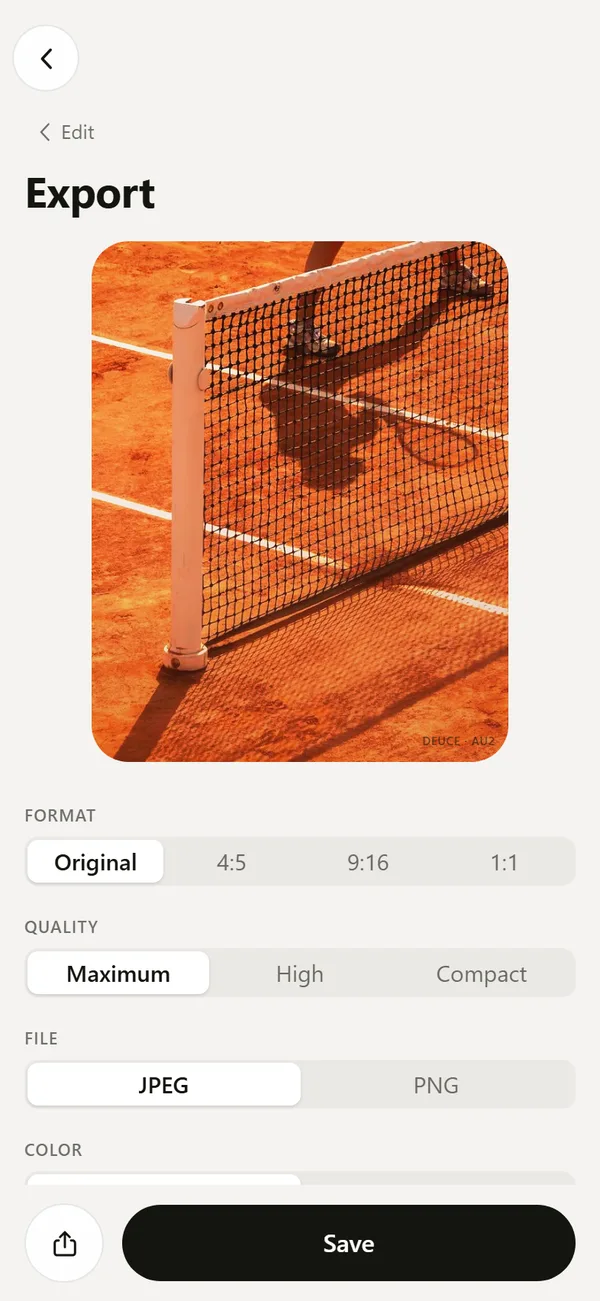
DEUCE builds the exported file from scratch, so only the metadata you tick is written. Location is off by default. You choose the format, quality and color space, decide whether the small DEUCE mark appears in the corner, and save to your library or share.
Coming soon to iPhone
What export settings are there?
The export screen lets you choose the format (Original, 4:5, 9:16 or 1:1), the quality (Maximum, High or Compact) and the file type (JPEG or PNG). It also lists the color space. The film, stencil, text and mark are baked into the file.
What metadata is written?
You decide. The file is built from scratch, and only what you tick goes in. EXIF holds camera, lens and capture date. Location is a separate switch that carries the coordinates from the original, and it is off by default.
Coordinates, camera serial number and thumbnail are never written unless you opt in to location. After saving, the screen tells you what was written: none, EXIF without coordinates, or EXIF with coordinates.
What is the DEUCE mark?
A small signature in the corner of the exported frame, with the film code, for example DEUCE and AU2. It can be turned off on the export screen.
Where does the exported file go?
Save writes the finished frame to your photo library, using the permission DEUCE asked for earlier. If the library denies write access, the file is built but not saved, and the app says so. Share opens the system share sheet instead.
What resolution does the export have?
On the phone, a composited frame is built at 1440 pixels wide. In the web version, it is built at the source resolution. The export screen shows the size in pixels and an estimate in megabytes before you save.
What if an export fails?
Your project is saved and the edit is intact. The app tells you what failed, such as the source frame, drawing, encoding or permission, and lets you retry now or later. In the browser, very large frames can fail, and Compact quality usually works.
What does the color row mean?
It shows the color space of the file. If the platform cannot provide Display P3, the row shows sRGB.
Which settings suit which use?
Choose the settings by where the picture will go.
| Use | Format | Quality | Location |
|---|---|---|---|
| Story post | 9:16 | High | Off |
| Feed post | 4:5 | High | Off |
| Printing or archive | Original | Maximum | Your choice |
| Sending to a friend | Original or 4:5 | Compact | Off |
Location stays off unless you switch it on.
How do you share?
Share offers the composited frame, the original as shot with no film or stencil, or a Before and After image in 9:16 that shows the original and the film side by side. Save the frame first if you want to share the composited file.
Frequently asked questions
Is my location added to exported photos?
Not by default. Location is a separate switch on the export screen, and it is off unless you turn it on.
Can I remove the DEUCE mark?
Yes. The mark is optional, and you can switch it off before saving.
Which file types can I save?
JPEG or PNG, at Maximum, High or Compact quality.
Can I share the original?
Yes. The share options include the original as shot, without film, stencil or mark.
Keep exploring
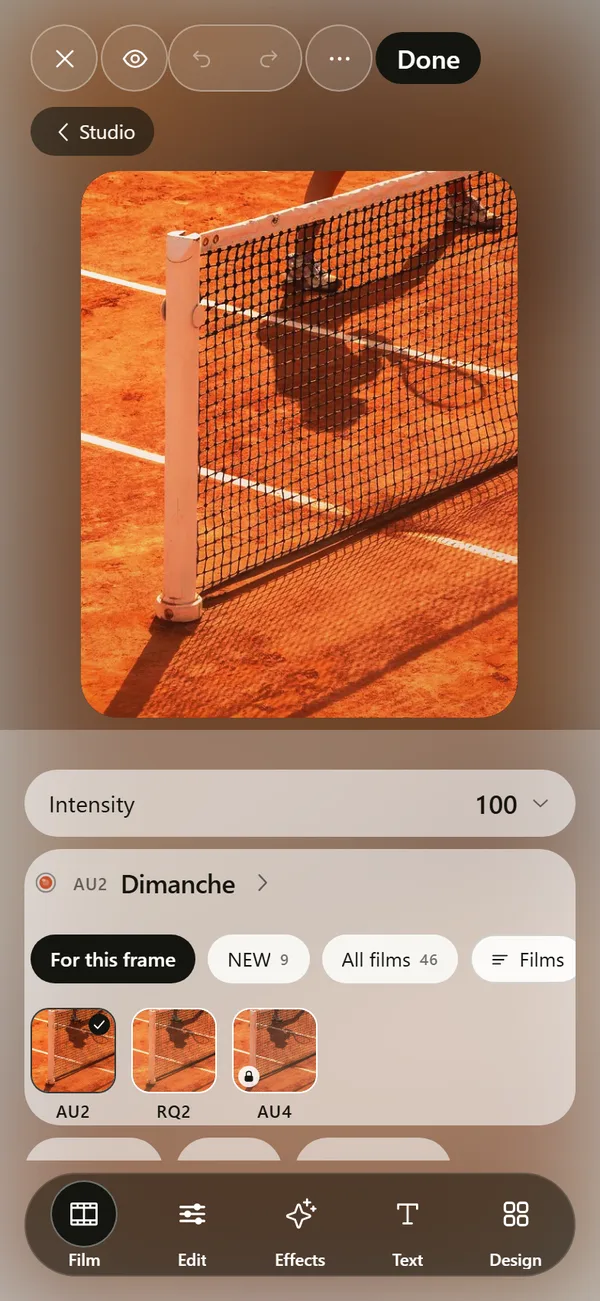 Film Photo Editor for iPhoneFilm, light, effects, text and design tools. Originals stay untouched.
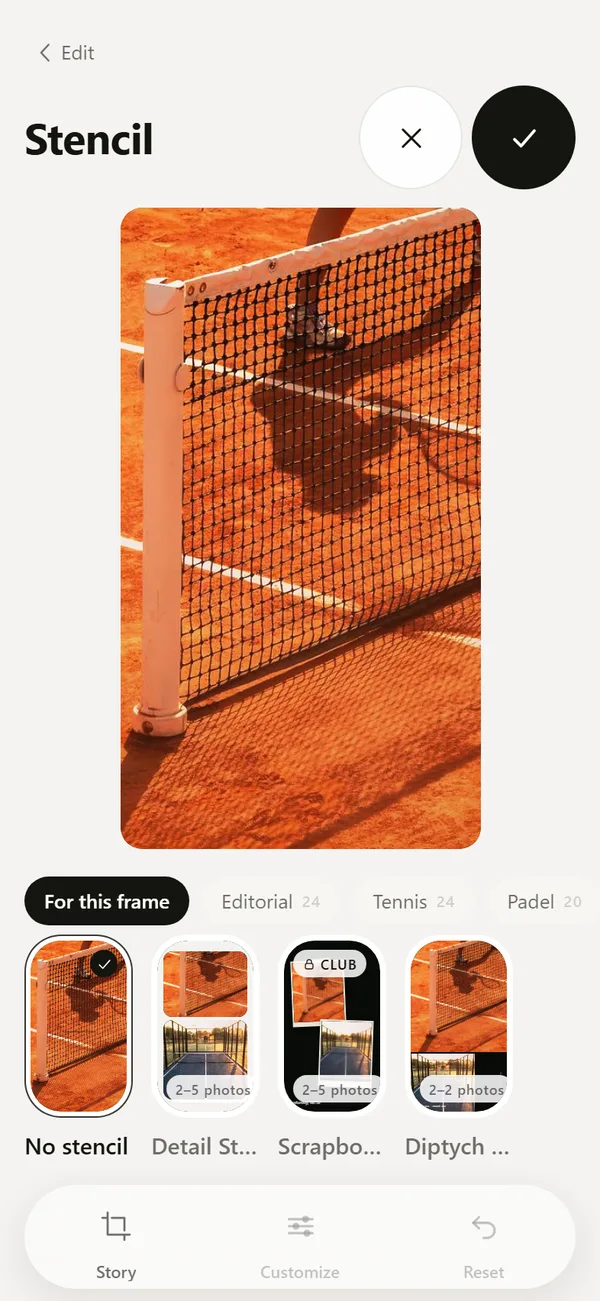 Tennis, Padel and Golf Photo Templates and CarouselsScoreboards, hole cards, club layouts and multi-frame carousels.DEUCE Privacy PolicyNo accounts, no server, no ads, no analytics. Photos stay on your phone.DEUCE SupportAnswers about rolls, sunrise, permissions, purchases and export.