 DEUCE
DEUCEStencils and carousels for your game
Stencils are templates that sit over a photo: a tennis or padel scoreboard, a golf hole card, a club layout. Every field is optional. Carousels turn two to twenty frames into one consistent post, with a hero frame chosen for you and every slide exported at the same size.
Coming soon to iPhone
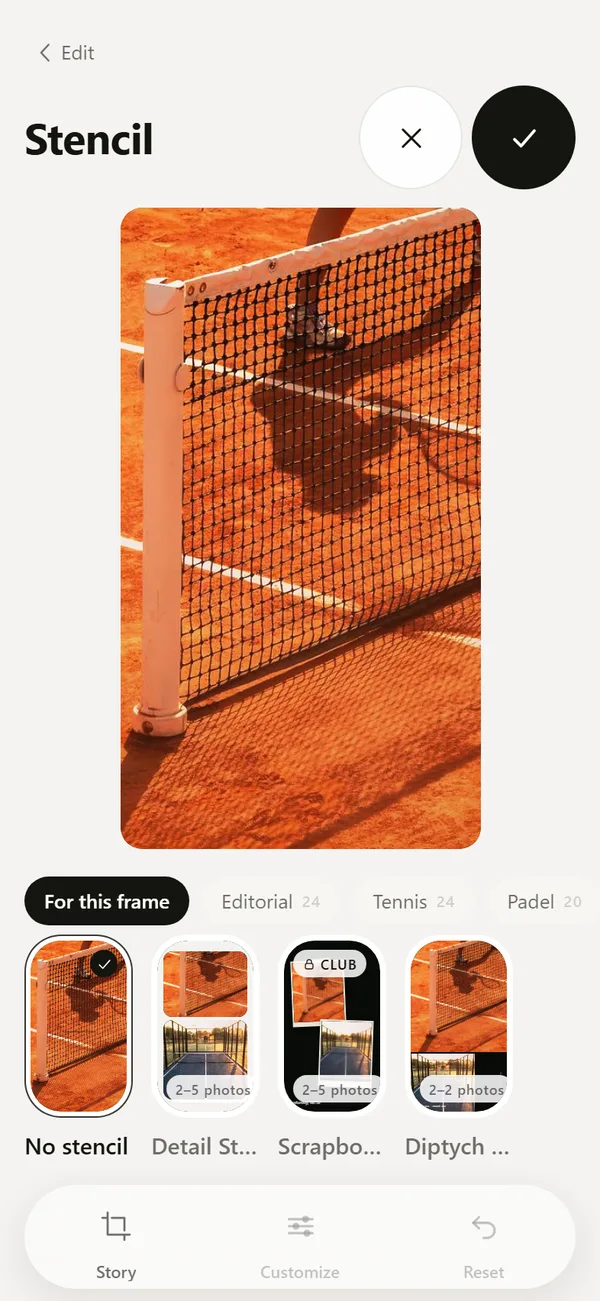
What is a stencil?
A stencil is a graphic template over your frame. You choose one in the Design tab of the editor, fill in the details you want, and the preview updates on the photo. Every field is optional.
Stencils come in collections: Editorial, Tennis, Padel, Golf, Film lab, Club life and Photo dump.
What can you fill in?
The fields depend on the sport. Tennis and padel templates take names, a score, a set score or tiebreak, a round, an event, a court and a surface. Padel supports pairs. Golf templates take a course, a hole, par, distance, hole score, totals and counts of birdies, pars and bogeys.
General fields include a headline, a note, a name, initials, a club, a city and a time.
Which formats can you export?
Pick Story 9:16, Feed 4:5, Square 1:1 or As shot. Some layouts use several frames, and the app lets you replace, remove or add frames in each slot. Slots you leave empty are filled from your Studio.
How do carousels work?
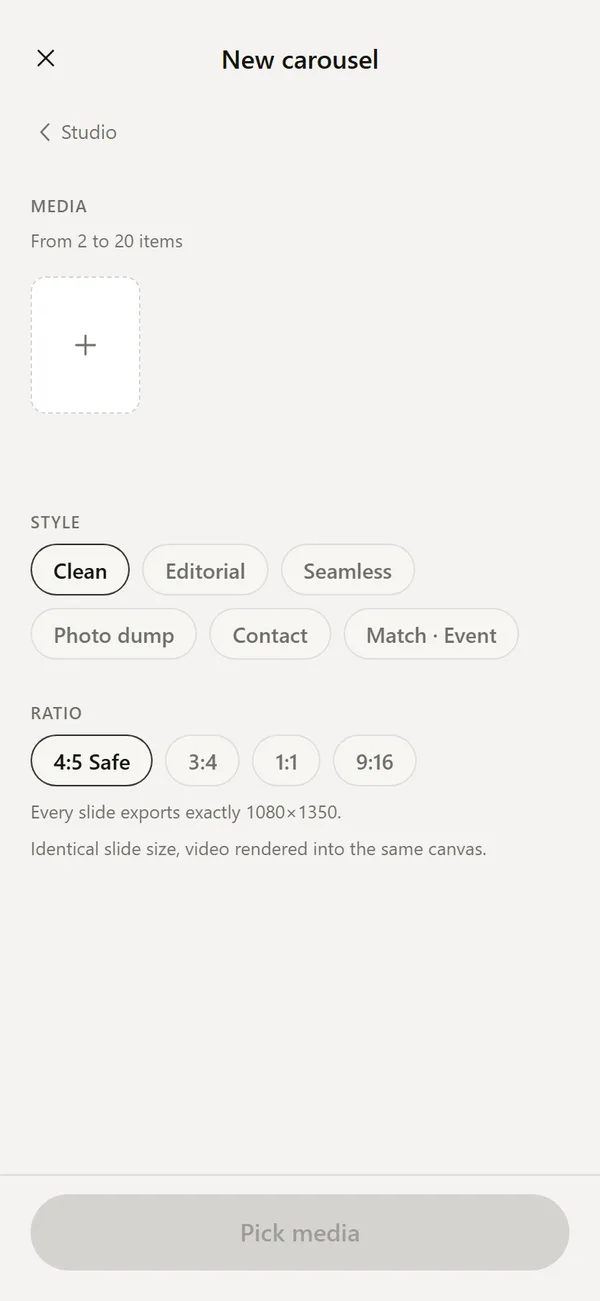
Open Design, then Carousel, and pick between two and twenty photos or videos. Choose a style, such as Clean, Editorial, Photo dump, Contact or Match and Event. Choose a ratio: 4:5 Safe, 3:4, 1:1 or 9:16.
DEUCE reads the frames, picks a hero frame automatically and flags near duplicates. You can change the hero by hand. In Safe mode every slide exports at exactly the same size, for example 1080 by 1350 for 4:5.
- Open Studio, then Design, then Carousel.
- Pick media.
- Choose a style and ratio.
- Build, review the slides, and change the hero if you want.
- Export.
What do the collections contain?
Tennis and Padel hold scoreboards and match cards. Golf holds hole and round cards. Editorial holds magazine-style covers, a monogram, a triptych and a newspaper page. Film lab, Club life and Photo dump hold further layouts for film-edge looks, club posts and casual multi-frame posts.
Pick the collection that matches what you want to post. The tab for this frame shows the stencils that fit the photo first.
How do you edit a stencil?
Tap Customize to open the fields. A show switch turns individual elements on or off. Reset puts the stencil back in its default position if you moved or resized it. If you leave without applying, the app asks whether to discard the edition, because the details you typed would be lost.
Tips for scoreboards
Type the score as it was at the end of the set, and use the round or event field for context. Keep names short. For a post from one match, use the same stencil on every frame so the set reads as a series.
When should you use a carousel instead of one stencil?
Use a stencil when one photo carries the message, such as the final score. Use a carousel when the story needs several frames: arrival, play, details and the handshake. A carousel gives each slide the same size and style, so a swipe feels like turning pages.
You can also combine them: build a carousel of your best frames and finish with a scoreboard slide.
Are all stencils free?
Some stencils carry a Club label. The app shows which ones before you apply them.
Frequently asked questions
Do I have to fill in every field?
No. Every field in a stencil is optional.
How many photos can a carousel have?
From two to twenty items.
Can I use a stencil for golf?
Yes. The Golf collection has fields for course, hole, par, distance and score.
Which ratios are supported?
Stencils support Story 9:16, Feed 4:5, Square 1:1 and As shot. Carousels support 4:5 Safe, 3:4, 1:1 and 9:16.
Will the slides match each other in size?
In Safe mode every slide exports at the same dimensions.
Keep exploring
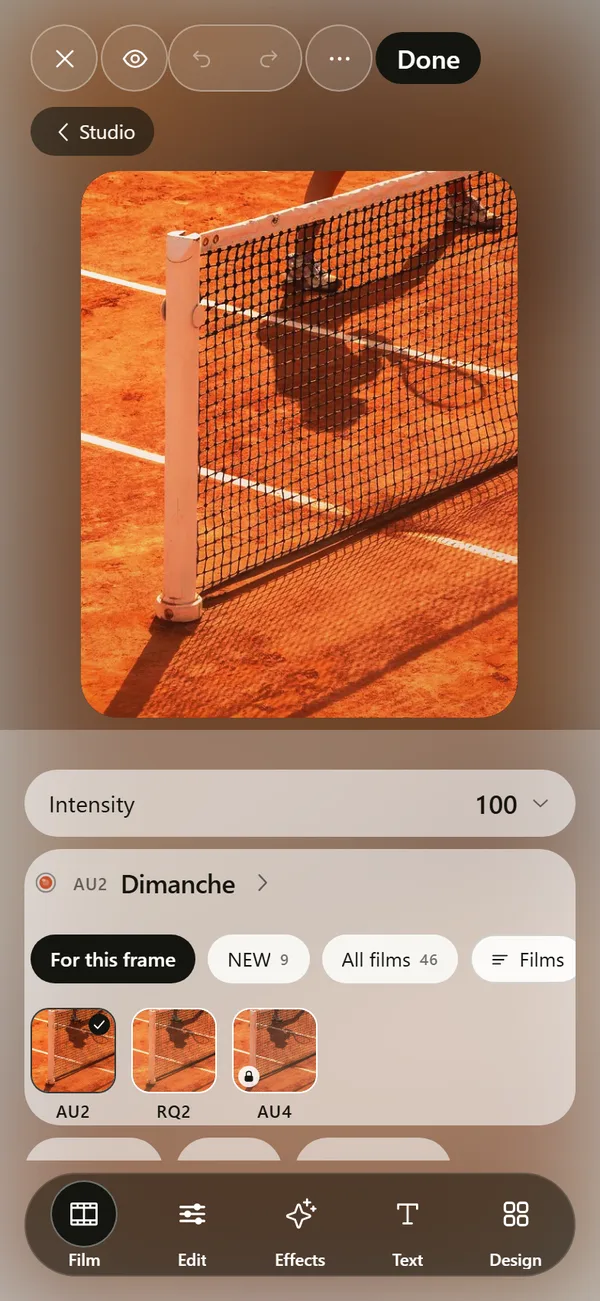 Film Photo Editor for iPhoneFilm, light, effects, text and design tools. Originals stay untouched.
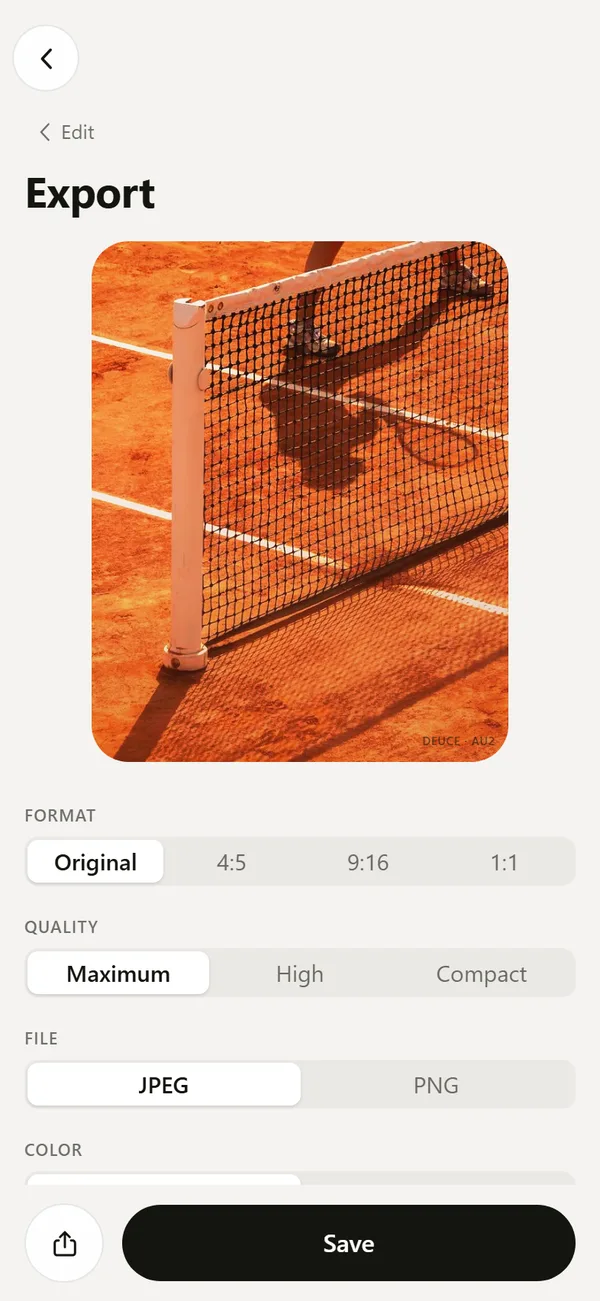 Export Film Photos with Optional EXIF and LocationJPEG or PNG, optional EXIF, no location by default, optional mark.
 46 Film Looks for iPhone Photos46 films with codes, series and a comparison divider.Tennis Photography Tips for Phone PlayersWhere to stand, what to shoot and how to match a film look to the court surface.