 DEUCE
DEUCEHow to add grain to a photo on iPhone
To add grain to a photo on iPhone, open an editor that has a grain control, set the amount low, choose a fine size and judge the result at full screen. The built-in Photos app has no grain slider, so you need a third-party editor. DEUCE has one with amount, size, roughness and color.
Coming soon to iPhone
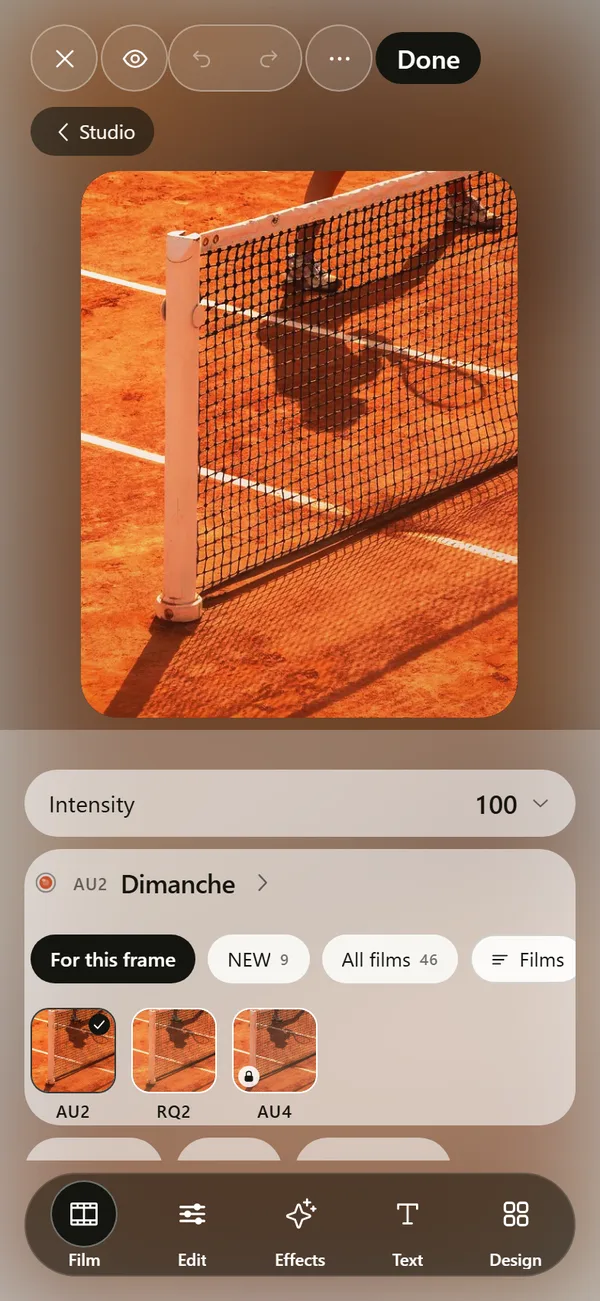
What is the quickest way to add grain on iPhone?
Open the photo in an app with a grain tool, raise the amount until you can just see texture in a flat area such as sky or a wall, then stop. That takes under a minute. The Photos app can crop, adjust light and color, and reduce noise, but it has no control that adds grain, so you have to use another editor for this one effect.
Grain is the speckled texture of film. It comes from tiny particles of silver or dye in the emulsion, and it is more visible on fast films (Film grain on Wikipedia). A phone sensor has noise instead, which looks colored and blocky. Added grain imitates the film kind.
What are the steps?
The order below avoids the most common mistake, which is adding grain before the picture has its final brightness.
- Finish your exposure and color first, because grain sits on top of the tones you set.
- Open the grain control. In DEUCE it lives in Edit, under Film texture.
- Raise the amount until texture appears in the midtones, then back off by a third.
- Set the size. Small reads as fine film, large reads as pushed or cheap film.
- Zoom to 100 percent and then back to normal size. Judge at normal size, since that is how people will see it.
Which grain settings matter?
Four settings decide whether grain looks like film or like a texture overlay. DEUCE offers all four: amount, size, roughness and color. The app also makes grain follow luminance, so it shows most in the midtones and less in pure black and pure white, which is how real film behaves.
| Setting | What it changes | Safe starting point |
|---|---|---|
| Amount | How strong the texture is | Low, just visible in a plain area |
| Size | How large each speck is | Small to medium |
| Roughness | How uneven the specks are | Medium |
| Color | Neutral or tinted specks | Neutral for most photos |
How much grain is too much?
Too much grain hides detail you wanted to keep, usually a face or the ball in a sports picture. Check the area that matters, not the whole frame. If the eyes or the racket strings turn muddy, lower the amount.
Brightness changes the answer. A dark photo already carries noise, and extra grain stacks on top of it. A bright daylight shot can take more. Black and white photos tolerate the most, which is why many film looks for monochrome carry visible grain.
Does a film look include grain already?
Yes. In DEUCE every film in the film catalog has its own grain level, shown on its page, and Silver 100 is listed with almost no grain. Pick the film first, set its intensity, and only then open the grain tool if you want more or less. The advanced controls scale a film's grain without changing its colors.
This order saves time. A film already balances grain, contrast and glow, so a small nudge usually beats building the texture from nothing.
Why does my grain look fake?
Fake grain has a few usual causes. Check this list before you change anything else.
- The same texture is laid evenly over everything, including pure white sky.
- The size is large on a small photo, so each speck looks like a dot.
- Strong color noise appears in shadows, which looks like a digital fault.
- Sharpening was added after grain, which makes the specks crisp and harsh.
- The photo was exported small, then scaled up in an app, which stretches the texture.
Should you add grain before or after other effects?
Add it last among the texture effects. Halation and bloom blur bright areas, and grain on top of the blur reads as natural. If you add grain first and blur afterward, you smooth it away. The photo editor guide shows where each tool sits, and the post on halation explains the glow that pairs well with grain.
Will grain survive Instagram and messaging apps?
Partly. Apps compress images, and compression eats fine texture. If you post to a feed, export at the highest quality and slightly raise the grain size, so some structure survives. In DEUCE the export screen offers Maximum, High and Compact quality, and the output is built at 1440 pixels wide. See export and share for the full list of options.
Quick comparison of options
Overlays are quick, but a fixed pattern repeats and does not respond to brightness. An editor-based grain adapts to the picture.
| Method | Grain control | Good for |
|---|---|---|
| Photos app | None | Light and color fixes |
| A film-style editor like DEUCE | Amount, size, roughness, color | Photos that should look like film |
| Overlay textures | Fixed pattern, often only opacity | Quick, one-off effects |
Why do photographers add grain at all?
Digital files from a phone are clean to the point of looking sterile. Grain gives the eye something to hold on to in flat areas such as sky, a wall or a hard court. It also hides small flaws, like banding in a gradient or the plastic look of heavy smoothing, and it ties a set of photos together because every frame carries the same texture.
Grain also changes the mood. Fine, even grain suggests a slow, careful film. Coarse grain suggests a late evening, a fast stock or a rushed roll. Choose by the story of the photo, not by habit.
How does grain relate to ISO and film speed?
On real film, a higher speed means larger crystals that catch light faster, and larger crystals show as coarser grain. The speed number is the ISO rating, where doubling the number doubles the sensitivity (Film speed on Wikipedia). A 100 speed film looks fine and clean. A 3200 speed film looks rough and busy.
You can borrow this logic. For a bright morning on grass, use a small, light grain that suggests a slow film. For a night court under floodlights, a larger, stronger grain suits the setting.
What are good grain settings for common scenes?
Treat these as starting points and adjust by eye on your own picture.
| Scene | Amount | Size | Why |
|---|---|---|---|
| Bright daylight, clay or grass | Low | Small | Keeps skin and whites clean |
| Dusk or floodlights | Medium | Medium | Matches the mood of fast film |
| Portrait close-up | Low | Small | Protects fine detail in the face |
| Black and white action | Medium to high | Medium | Mono carries texture well |
| Sky or wall that fills the frame | Low | Small | Large grain shows as dots |
Can you add grain to video or Live Photos?
This guide covers still photos. DEUCE applies its grain to photos, and its camera shows the film look live while you frame. If you want grain on a video clip, use an editor that supports video, since a still-photo grain pattern does not move the way film grain does from frame to frame.
A short test you can run in five minutes
Take one photo with a plain background. Make three copies of the edit: grain at zero, at a low amount and at a high amount. View all three at normal size on your phone, then on a bigger screen if you can. Notice where the low version starts to feel like film and the high version starts to feel like a filter. That point differs by screen and by photo, and finding it once saves guessing later.
If you use DEUCE, save the setting as a recipe from the editor and apply it to the next photo in a set, so a whole roll shares the same texture.
Frequently asked questions
Does the iPhone Photos app have a grain effect?
No. Its Adjust tools cover light, color, sharpness, definition, noise reduction and vignette, but not film grain.
How do I add film grain to a photo for free on iPhone?
DEUCE is free to download and has a grain tool with amount, size, roughness and color in Edit, under Film texture. Some films and rolls need DEUCE Club.
What is the difference between noise and grain?
Noise is a sensor artifact that often looks colored and blocky. Grain is the texture of film particles, and editors imitate it as a smooth, luminance-driven pattern.
How much grain should I add?
Enough to notice in a plain area at normal size, and no more. Most photos look best at a low to medium amount.
Does grain reduce image quality?
It can hide fine detail when the amount is high. Keep it lower on faces and on small subjects.
Keep exploring
Film Photo Editor for iPhoneFilm, light, effects, text and design tools. Originals stay untouched. 46 Film Looks for iPhone Photos46 films with codes, series and a comparison divider.How to Make Photos Look Like Film on iPhoneFour changes that give a photo a film look: tone, color, grain and glow.What Is Halation in Photography?The glow around bright highlights on film, and how it differs from bloom.