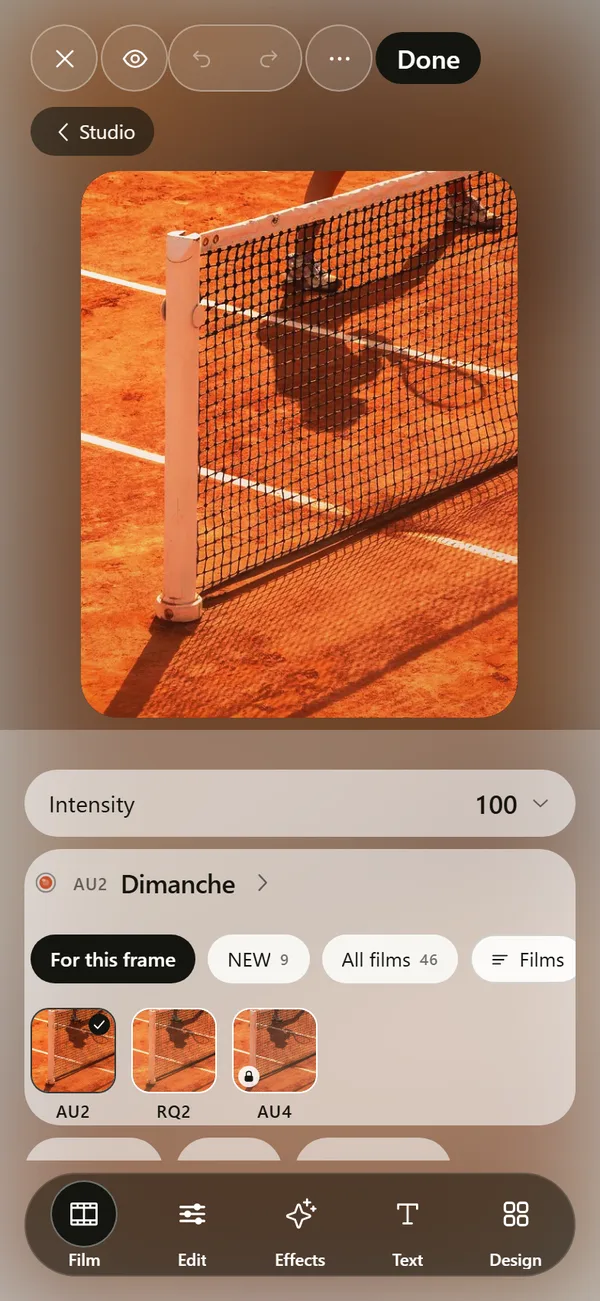
 DEUCE
DEUCEWhat is halation in photography?
Halation is a soft, often reddish glow that spreads around bright highlights on film. It happens when strong light passes through the emulsion, reflects off the film's backing and exposes the emulsion a second time. Bloom is a different effect, and it comes from lenses or sensors.
Coming soon to iPhone
What causes halation?
Light that hits film goes through the light-sensitive emulsion and the clear base underneath. Part of it bounces off the back surface and returns into the emulsion, slightly off from where it entered. That second exposure draws a halo around very bright points (Halation on Wikipedia).
Because the red-sensitive layer sits deepest in color film, the returning light often exposes it most, so the glow tends to look orange or red.
Why do some films show more halation than others?
Film makers can add a layer that absorbs light before it reflects. Motion picture film has often carried a removable backing for this purpose, and the glow gets stronger when that layer is absent or removed. Some modern film stocks are sold with the layer removed, and photographers choose them for the red halos around lights at night.
Brightness matters too. Halation shows up where a very bright source sits against a dark area, such as a lamp on a night street.
How is halation different from bloom and grain?
The effects get mixed up because all three soften an image. The table separates them.
| Effect | Where it comes from | What it looks like |
|---|---|---|
| Halation | Light reflecting inside the film | Warm glow hugging bright highlights |
| Bloom | Lens or sensor spreading light | Neutral haze spreading from bright areas |
| Grain | Silver or dye particles in the film | Random texture across the image |
| Vignette | Lens or edit darkening the corners | Darker edges |
Where does halation look best?
Look for bright light against darkness. Floodlights over a night court, sun glinting on the net or on a padel glass wall, a white line on dark clay in low sun, and a car light on a wet road all work. In flat even light, halation barely shows.
On a light-colored frame, halation is hard to see, so a strong setting there reads as plain blur.
How do you add halation to a digital photo?
A good halation effect responds to the brightest parts of the picture instead of laying a pink tint over everything. Most editors give you the same set of controls: how much, how far, from what brightness, and how warm.
- Pick a photo with bright highlights, such as lights at night.
- Open the halation control in your editor. In DEUCE, it sits in Edit, under Film texture.
- Set the threshold so only the brightest areas glow.
- Raise the radius until the glow is visible but not foggy.
- Add warmth if you want the red edge, and lower the amount if the picture looks soft.
How does DEUCE do it?
DEUCE has a Halation tool with amount, radius, threshold and warmth. The app describes it as driven by highlights above the threshold, not a red overlay. A separate Bloom tool does neutral spread and uses its own algorithm, so you can combine them or use only one.
Many of the films in the film catalog already include a halation setting, and the advanced controls let you scale it. See the photo editor for the other tools.
Which scenes show halation best?
Use this table to choose where a strong setting is worth it and where a subtle one is enough.
| Scene | Halation setting | Notes |
|---|---|---|
| Night court under floodlights | Medium amount, warm | Lamps become bright points on dark |
| Sun on a padel glass wall | Low amount, neutral | Glints get a soft edge |
| White line on dark clay | Low amount | Subtle halo on the bright line |
| Overcast daylight | Very low or off | No strong highlights to bloom |
Why do photographers like it?
Halation softens the hard edge between light and dark, which makes a picture feel warm and analog. It also hints at an imperfect process, and the reddish edge is hard to produce with a plain blur. Some film stocks are known for it, and people search for the look by name.
The effect is easy to overdo on screen. A strong halation on a frame with large bright areas turns the whole picture soft, so test on one frame before you apply it to a set.
How can you test your halation setting?
View the photo at normal size, not zoomed in. Find the brightest spot and check whether the glow is visible around it but not across the dark parts. Compare with the original by holding the frame. If the shadows look washed out, raise the threshold. If nothing glows, lower it.
Common mistakes
Using a pink overlay instead of a highlight-driven glow. Applying halation to daytime photos with no true highlights. Stacking bloom, halation and a light leak on the same frame. Making the radius so large that the whole image looks out of focus.
Why was halation treated as a problem?
Halation reduces sharpness around bright points, and film makers worked to limit it with absorbing layers. On many stocks the effect is small enough that you only see it around very bright sources. When the absorbing layer is missing or washed out during processing, the glow becomes visible, and for some photographers that is the point.
Reading about the mechanism helps you set the effect. A strong glow should come only from the brightest parts, and it should be warmer than the surroundings. If your digital effect does neither, it is a blur.
A quick experiment
Take one night photo with a few lamps. Set halation to zero and note how the lamps look: hard-edged points. Raise the amount until a soft ring appears around each lamp. Raise the threshold until the ring disappears from dimmer lights, so only the lamps glow. Add warmth last. Three changes tell you more about the effect than any description.
Is halation a flaw?
Film designers treat it as something to control, and cinematographers and photographers often like it as a look. A digital version is a choice, so keep it modest.
Frequently asked questions
What is halation in simple terms?
A glow around bright lights on film, caused by light bouncing off the back of the film and exposing it again.
Why is halation red?
The deepest layer of color film is sensitive to red, and light that bounces back often reaches it, so the glow looks red or orange.
Is halation the same as lens flare?
No. Flare comes from light scattering inside a lens. Halation happens inside the film.
Can digital cameras have halation?
Not in the same way, because a sensor has no film base to reflect from. Digital editors imitate it as an effect.
Which tool in DEUCE adds halation?
The Halation tool in the Edit tab, under Film texture, with amount, radius, threshold and warmth.