 DEUCE
DEUCEHow to take black and white photos on iPhone
To take a black and white photo on iPhone, open Camera, tap the filters icon and choose Mono, Silvertone or Noir before you shoot. To convert a photo you already have, apply the same filters in Photos or use a film-style editor. Good mono depends more on contrast and light than on the filter.
Coming soon to iPhone

How do you shoot in black and white on iPhone?
The Camera app has built-in filters that preview live.
- Open Camera and tap the filters icon, the three circles, in the controls.
- Swipe through the options and pick Mono, Silvertone or Noir.
- Frame the shot and watch the preview, since contrast shows before you press the shutter.
- Shoot. The filter stays editable in Photos, so you can turn it off later.
How do you convert an existing photo to black and white?
Open it in Photos, tap Edit, and use the filter strip at the bottom to pick Mono, Silvertone or Noir. Then adjust exposure, contrast and brilliance. A second option is a film-style editor. DEUCE has black and white looks in its film catalog, including Centre Line and Silver 100, which you apply to any photo from your library at an intensity you choose.
What do the Camera filters do differently?
Try each on one frame. The difference is visible in skin and in clouds.
| Filter | Character | Good for |
|---|---|---|
| Mono | Neutral grey, medium contrast | Everyday scenes |
| Silvertone | Softer, lighter mid-greys | Portraits and gentle light |
| Noir | Deeper blacks, harder contrast | Graphic scenes and shadows |
Why do some black and white photos look flat?
A picture loses its colors, and with them some of the contrast between objects. A red shirt against green grass looked distinct in color and turns into two similar greys in mono. Fix this by lifting contrast, darkening the shadows and checking that the subject still separates from the background.
Light matters more than the effect. Side light, low sun and strong shadows give mono shape. Overcast light gives grey on grey, which suits quiet portraits and not much else.
What settings make mono look like film?
Film black and white has a few traits you can imitate.
- Visible grain, stronger than in a color look. Medium amount, small to medium size.
- Open shadows with a little lift, so black is not a hole.
- Soft highlights with a gentle roll-off instead of hard clipping.
- A slight tone, warm or cool, if you want a print feel. Pure neutral looks digital.
How does DEUCE do black and white?
In DEUCE the black and white films are full looks, so grain, contrast and glow are set together. SW3 Centre Line is a black and white film with open shadows, and FI3 Silver 100 is black and white with almost no grain. A film page shows B/W where color films show a warmth reading.
After you pick one, use intensity to blend toward the original, then add grain or halation in the photo editor if you want more texture. Frames you shoot in the camera show the film live, so you judge the contrast before the shutter.
Which subjects work best?
Strong shapes and light work: a server in a tossing silhouette, shadows of a net across clay, a golfer on a ridge in low sun. Black and white also removes distractions such as ugly sponsor colors or a busy crowd. Test it on any photo with a messy background.
Black and white or color?
Choose mono when the story is shape, light or emotion, and color when the story is the surface, the kit or a specific hue. Clay is a good example: its orange is the subject in color, but in mono you see dust and footprints.
How should you shoot to get good mono?
A few habits at the moment of shooting help more than any filter later.
- Look for contrast between light and dark areas, not between colors.
- Expose for the highlights so bright areas do not clip into pure white.
- Place the subject against a background of a different brightness.
- Use side or low light to bring out texture.
- Take a color version too. Many photos look better in one form, and you cannot recover color from mono.
Why does mono suit sport photos?
Action pictures often have messy colors: advertising boards, mixed clothing, a crowd. Taking them out lets the movement and the gesture stand out. A serve at the top of the toss, a padel player pressed against a glass wall or a golfer in follow-through reads clearly in grey tones, and the ball tends to stay visible if the background is darker.
The tennis picture guide in tennis photography tips for phone players covers the shooting side. The tone side is what you set after.
Do you edit mono in the same order as color?
Mostly yes. Set exposure, then contrast, then check shadows and highlights, then add texture. One difference is that color controls such as temperature and saturation no longer matter, but tone controls such as split tone and curves matter more. A light split tone with warm highlights and cooler shadows gives black and white a print quality. Keep the tint subtle, a point or two beyond neutral.
Is black and white a good idea for every photo?
No. If a photo depends on color, such as clay orange against blue sky, mono removes its point. Decide by asking what the picture is about. If the answer is a color, leave it alone. If the answer is a moment, a shape or a face, try mono and compare.
What are common mistakes with mono?
Most weak black and white photos share the same few problems. Check them in this order.
- Converting a flat, dull color photo and expecting the filter to add drama.
- Pushing contrast so far that skin and white clothing lose all detail.
- Crushing the shadows to pure black on a face.
- Adding heavy grain on top of a noisy night shot.
- Leaving a slight color cast, so the picture looks greenish instead of neutral.
How can you compare versions quickly?
Hold the frame in the DEUCE editor to see the original, and switch between two films with the compare divider in the Film tab. Drag it across the picture to see both looks on the same frame. Pick the one where the subject separates best from the background, not the one that looks most dramatic in the thumbnail.
Look at the photo on the lock screen size too. A picture that works as a tiny thumbnail has a clear shape.
Frequently asked questions
Can I take black and white photos in the iPhone Camera app?
Yes. Tap the filters icon and choose Mono, Silvertone or Noir. The effect previews live.
Can I undo a black and white filter later?
Yes. In Photos, filters from the Camera app can be removed in Edit, because the original is stored with the edit.
What is the best black and white filter for portraits?
Silvertone has softer mid-greys and tends to flatter skin. Compare it with Mono on the same frame.
Does DEUCE have black and white films?
Yes. Centre Line and Silver 100 are black and white looks, and the catalog has more.
Why does my black and white photo look dull?
Usually low contrast and flat light. Raise contrast, deepen shadows and shoot in side light.
Keep exploring
46 Film Looks for iPhone Photos46 films with codes, series and a comparison divider.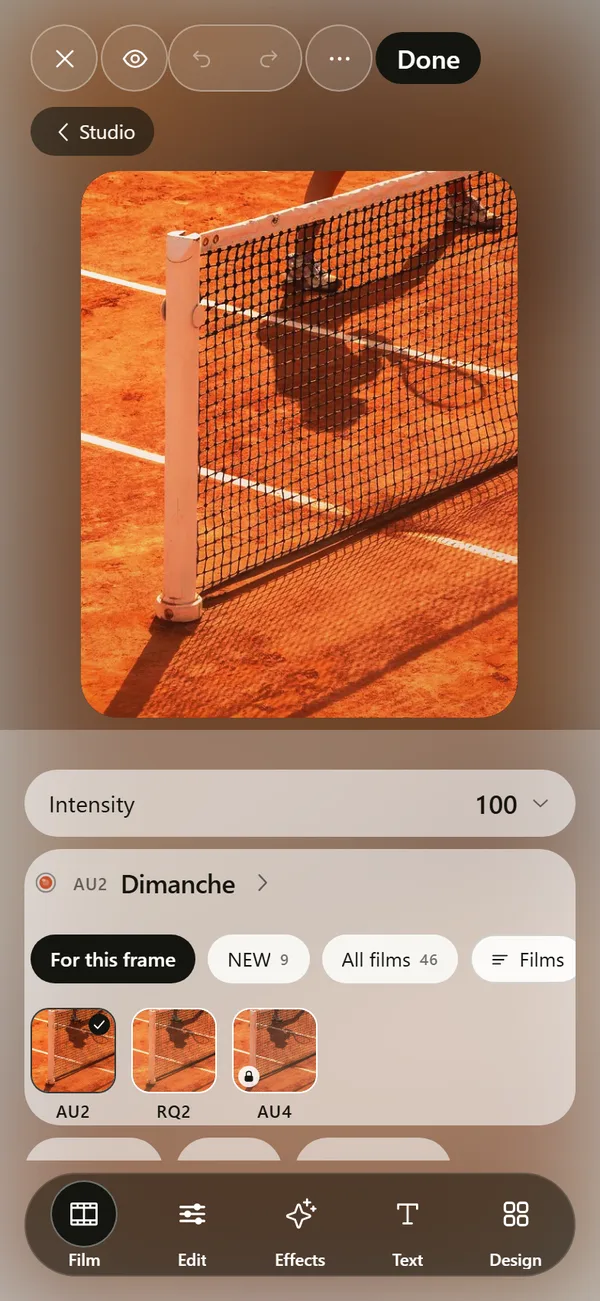 Film Photo Editor for iPhoneFilm, light, effects, text and design tools. Originals stay untouched.How to Make Photos Look Like Film on iPhoneFour changes that give a photo a film look: tone, color, grain and glow.How to Add Grain to a Photo on iPhoneFive steps for film grain on an iPhone photo, and the settings that make it look real.