 DEUCE
DEUCEWhat is film grain?
Film grain is the speckled texture you see in photos taken on film. It comes from tiny particles of silver or dye that form the image, and it gets coarser on faster films. Digital noise looks different, because it comes from a sensor and not from film chemistry.
Coming soon to iPhone
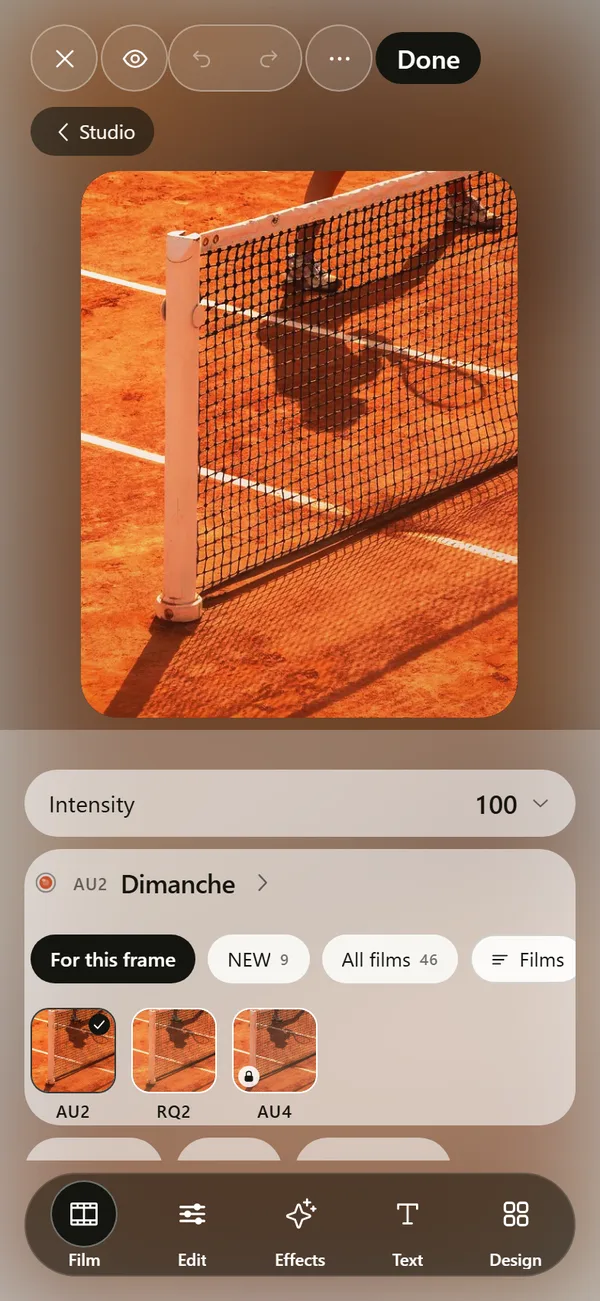
What causes film grain?
Film is coated with light-sensitive crystals. After development, the crystals become tiny clumps of metallic silver, or clouds of dye in color film. The random size and spacing of these clumps produces a visible texture, which is grain (Film grain on Wikipedia). Your eye reads it as a fine, irregular pattern across the picture.
Why do fast films have more grain?
Faster films are more sensitive to light because their crystals are larger. Large crystals catch more light, and they also show as larger grains. A slow film with an ISO of 100 looks fine and smooth, and a fast film at 3200 looks rough. That tradeoff is why photographers pick film by speed. Speed is rated with an ISO number, and doubling the number doubles the sensitivity (Film speed on Wikipedia).
Enlargement matters too. A small print hides grain, and a big print shows it.
How is film grain different from digital noise?
The difference is visible even at small sizes. Noise looks like an error, and grain looks like a surface.
| Film grain | Digital noise | |
|---|---|---|
| Source | Silver or dye particles | Sensor and electronics |
| Shape | Irregular, organic | Often blocky, pixel-sized |
| Color | Neutral or film-colored | Frequently colored specks |
| Where it shows | Midtones most | Shadows most |
| How it feels | Warm, textured | Harsh, electronic |
Why do people like grain?
Grain adds texture to flat areas and gives a picture a tangible, printed quality. It softens sharp digital edges, hides small defects and gives a set of photos a shared character. It can also carry mood: fine grain feels calm, and heavy grain feels raw, late or fast.
Preference is cultural too. People who grew up with prints remember the look, and people who grew up with phones find it new. Both are valid reasons to like it.
How do editors imitate film grain?
Software generates a random pattern, scales it to a size and blends it into the picture. A good implementation lets grain depend on brightness, since real film shows most grain in the midtones. DEUCE does this: grain has amount, size, roughness and color, and it follows luminance. See the photo editor guide for the tool group.
How do you read grain in a real photo?
- Find a flat area, such as sky, a wall or a painted court line.
- Zoom in until you see the pattern.
- Check the shape: soft, irregular clumps suggest film, and sharp square dots suggest noise or compression.
- Compare shadows and midtones. If shadows are much noisier than midtones, you are probably looking at a sensor.
Does a film look in DEUCE include grain?
Yes. Each film in the film catalog carries its own grain level, shown on the film page next to its halation level and warmth reading. FI3 Silver 100 is listed as black and white with almost no grain, and other films range upward. Advanced controls scale grain and halation without changing the color, so you can keep a film and adjust texture.
When should you avoid grain?
- Small subjects far from the camera, where grain swallows detail.
- Portraits where skin texture matters, unless the amount is low.
- Photos that will be heavily compressed, since compression turns grain into blotches.
- Pictures with big flat areas of pure white or black, where grain looks like a pattern.
Is grain the same as sharpness?
No. Grain is texture, and sharpness is edge definition. A grainy photo can be sharp or soft. Many people read grain as sharpness, because it adds fine detail to flat areas, but it does not recover lost focus. Fix focus first, then add texture.
What does grain look like at different film speeds?
Real films vary by brand and process, so treat the table as a rough guide.
| Film speed (ISO) | Typical use | Grain look |
|---|---|---|
| 50 to 100 | Bright daylight, landscapes | Very fine, smooth |
| 200 to 400 | General purpose | Fine to moderate |
| 800 | Indoors, dusk | Clearly visible |
| 1600 to 3200 | Low light, action indoors | Coarse, strong texture |
How do development and scanning change grain?
Grain also depends on how a film is exposed and developed. Underexposed film pushed in development shows more grain, and overexposed film tends to look smoother. Scanning matters too: a high-resolution scan reveals grain structure, while a low-resolution one smooths it into noise. That is why two scans of the same negative can look different.
Why is grain not the same on every part of a photo?
Grain shows most in the midtones. Deep shadows and bright highlights carry less visible texture, because the eye sees tone there before texture. Good imitations follow that pattern, which is why DEUCE ties grain to luminance and gives roughness as a separate control for how uneven the specks are.
How do you use grain with other film effects?
Grain pairs with halation and light leaks to build a believable look. The halation guide explains the glow around bright points. Apply glow first and grain last, and keep both modest. If you want practical steps, read how to add grain to a photo on iPhone.
Frequently asked questions
What causes film grain?
Clumps of silver or dye particles that form the image in film. Their random size and spacing show as texture.
Does a higher ISO mean more grain?
On film, yes. Faster films use larger crystals and show coarser grain.
Is film grain the same as noise?
No. Noise comes from a digital sensor and looks blocky or colored. Grain comes from film chemistry and looks organic.
Can I add film grain to a digital photo?
Yes. Editors generate a grain pattern. DEUCE has a grain tool with amount, size, roughness and color.
Is film grain good or bad?
It is a style choice. It adds texture and mood but hides fine detail when strong.
Keep exploring
How to Add Grain to a Photo on iPhoneFive steps for film grain on an iPhone photo, and the settings that make it look real.Film Photo Editor for iPhoneFilm, light, effects, text and design tools. Originals stay untouched. 46 Film Looks for iPhone Photos46 films with codes, series and a comparison divider.What Is Halation in Photography?The glow around bright highlights on film, and how it differs from bloom.