 DEUCE
DEUCEColor temperature on iPhone: why photos look too warm or too cool
Color temperature describes how warm or cool light looks, measured in kelvins. Low numbers are warm and orange, high numbers are cool and blue. On iPhone you correct a wrong cast with the temperature and tint sliders in an editor, or with manual white balance in a camera app.
Coming soon to iPhone
What is color temperature?
Color temperature is a way to describe the color of a light source by comparing it to the glow of a heated object. It is measured in kelvins. Low values such as a candle at under 2000 K look orange, daylight is around 5000 to 6500 K and looks neutral, and overcast sky or shade looks blue and cooler (Color temperature on Wikipedia).
What is white balance?
White balance is the camera setting that tries to make white things look white under any light. The phone estimates the light and shifts colors to compensate. When it guesses wrong, photos turn orange under warm lamps or blue in shade. Correct it at shooting time with a manual control, or later in an editor with temperature and tint.
Which light has which temperature?
Values are approximate, since they vary with conditions.
| Light | Approx. temperature | Look |
|---|---|---|
| Candle | Under 2000 K | Deep orange |
| Warm indoor bulb | 2700 K | Orange-yellow |
| Golden hour sun | 3500 to 4500 K | Warm gold |
| Midday daylight | 5000 to 6500 K | Neutral |
| Overcast sky | 6500 to 7500 K | Slightly cool |
| Shade on a clear day | 7000 K or more | Blue |
How do you fix a photo that is too warm?
- Open the photo in an editor and find Temperature in the Color group.
- Move the slider toward blue until whites look neutral.
- Check a known neutral: a white line, a shirt, the ball.
- If the picture now looks magenta or green, adjust Tint.
- Compare with the original and back off a little, since a hint of warmth feels natural.
How do you fix a photo that is too cool?
Shade and overcast days leave photos bluish. Move the temperature slider toward warm until skin looks natural and whites are clean. Pay attention to the clay or grass. If the court turns too orange, you have overshot. A film look can add warmth with less effort: pick a look with warm highlights and keep its intensity at 60 to 80 percent.
When should you leave the cast alone?
Sunsets, candlelit rooms and floodlit courts are supposed to look warm or colored. Correcting them to neutral removes the mood. Fix a cast when it looks like an error, such as skin turning grey or orange, and keep it when it tells the viewer where you were. Ask whether the image says anything about the light.
How does DEUCE handle color temperature?
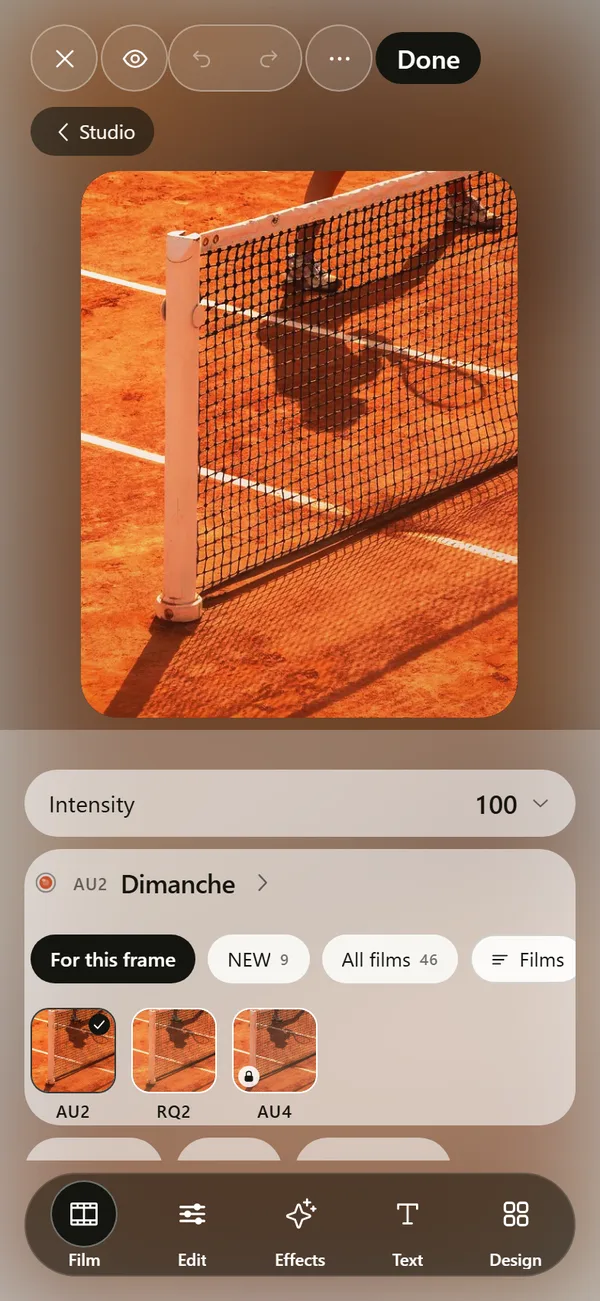
In DEUCE the Edit tab groups Temperature, Tint, Saturation, Vibrance, HSL, Skin, Split tone and Curves under Color. The camera has manual white balance, along with exposure, ISO, shutter and focus. The skin tool changes tone, saturation and warmth of skin colors only, without smoothing or reshaping. Advanced film controls also shift the scan toward cool, neutral or warm.
The film catalog lists a warmth reading on each film page, so you can compare before you apply.
How do you keep color consistent across a set?
- Fix white balance on each frame before applying a look.
- Use the same film and intensity for the set.
- Compare frames side by side at thumbnail size.
- Save the edit as a recipe once the set looks right.
Mixed light problems
Courts under floodlights and daylight leaking through windows give two color temperatures in one frame. You cannot fix both with one slider. Choose the one that matters, usually the skin, and let the rest drift. Or use a local tool in the editor if you have one. A black and white version also avoids the problem entirely.
What does the tint slider fix?
Temperature moves a photo along the blue to orange axis. Tint moves it along the green to magenta axis. Some lights, such as fluorescent tubes and sodium lamps, leave a green or yellow cast that temperature alone cannot fix. If skin looks sickly after you correct the temperature, add a small amount of tint toward magenta. Make small moves, a few points at a time, and compare against a neutral object in the frame.
How do you use a white or grey object to set white balance?
- Find a neutral object in the scene: a white tennis line, a grey wall, a white shirt.
- If your camera app supports it, set white balance manually while pointing at that object.
- Otherwise, shoot normally and use the editor's temperature and tint until the object looks neutral.
- Check skin and surfaces after the change.
- Stop when the picture feels right, even if a neutral object is a touch warm.
How does clay change color balance?
A clay court is a large orange surface that reflects light up into the scene. Skin, white clothing and the underside of caps pick up an orange cast. Automatic white balance tries to compensate and sometimes cools the whole picture. If your court photos look odd, correct for the skin, not the court. The clay can stay orange, because it is orange.
Grass does something similar in green, and hard courts reflect blue or green depending on the paint. Look at the underside of a white cap or shirt for the color the surface adds.
Why does a film look need a neutral base?
A film look adds its own color balance. If the photo starts with a strong cast, the film adds to it and the result goes too far. Fix temperature and tint first, then apply the look. If the look still feels too warm, lower its intensity or shift the scan toward cool in the advanced controls. That order keeps skin tones natural while the film supplies the mood.
What mistakes make color look off?
The usual causes are correcting by eye on a bright screen, judging color after the phone has been in a warm room for a while, and stacking a warm film on a photo that already has a warm cast. Look at the photo again after a short break, or on a different screen, before you commit. If two screens disagree, trust the one you will use most.
Another trap is correcting every frame of a set differently. Light changes during a match, so some drift is natural. Fix the obvious outliers and leave the rest.
Frequently asked questions
What is a good color temperature for photos?
Neutral daylight is around 5000 to 6500 K. For a warmer feel, choose a lower value.
Why do my iPhone photos look orange?
Warm indoor light confuses white balance, or a warm look has been applied. Lower temperature or use a cooler setting.
What is the difference between temperature and tint?
Temperature moves between blue and orange. Tint moves between green and magenta.
Does DEUCE have manual white balance?
Yes. The camera offers manual controls for exposure, ISO, shutter, white balance and focus.
Does a film look change color temperature?
Yes. A film sets color balance together with contrast, grain and glow. You can lower the intensity if it is too strong.
Keep exploring
 Film Photo Editor for iPhoneFilm, light, effects, text and design tools. Originals stay untouched.
 46 Film Looks for iPhone Photos46 films with codes, series and a comparison divider.Golden Hour Photography on iPhoneWhen golden hour is, how to expose it on iPhone and how to keep the warm glow.How to Make Photos Look Like Film on iPhoneFour changes that give a photo a film look: tone, color, grain and glow.