 DEUCE
A roll that develops at sunrise
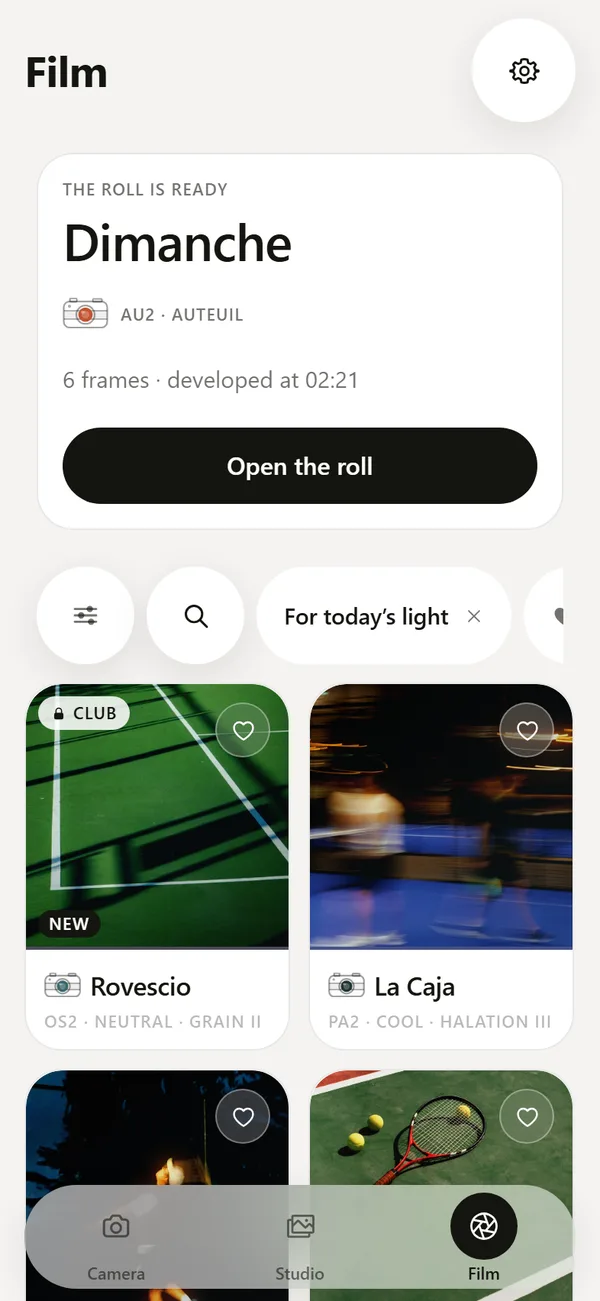
In DEUCE you load a roll of 12, 24 or 36 frames, shoot without seeing the results, and wait. The frames develop at your local sunrise, and the app sends one local notification when they are ready. The first roll is free. Later rolls need DEUCE Club.
Coming soon to iPhone
How does a roll work?
Pick a film, choose a length of 12, 24 or 36 frames, and load it. The camera opens with that film applied. Each shot goes into the roll. Once taken, a frame cannot be viewed or deleted until the roll develops.
When the last frame is shot, developing starts. The roll is ready at the next sunrise, and then you open it and see everything at once.
- Open the Film tab and choose a film.
- Tap Load a new roll and pick 12, 24 or 36 frames.
- Shoot. The counter shows how many frames you have used, for example Frame 7 of 24.
- Leave when you like. The roll is kept, and you can come back to it.
- Open the roll after sunrise.
When exactly is sunrise?
If you allow location while using the app, DEUCE calculates the local sunrise for where you are. The location is used only for that and stays on the device.
If you do not allow location, the app uses a fixed time. The default is 05:41, and you can set your own hours and minutes in Settings under Sunrise.
How accurate is the sunrise time?
With location allowed, the app uses a simplified astronomical formula that is accurate to about three minutes. It always picks the next sunrise that is at least a minute away, so a roll finished after sunrise waits for the following morning. In places where the sun does not rise on those days, the app uses your fixed time instead.
While you wait, the developing screen shows a countdown in hours, minutes and seconds and the time the roll will be ready.
What happens if you cannot wait?
Club members can develop a roll right away. Without Club, the roll waits for sunrise. If you unload a roll before it is finished, the frames are lost and cannot be developed, and the app asks you to confirm.
How does the reminder work?
When a roll starts developing, DEUCE asks whether to tell you when it is ready. If you agree, you get one notification at sunrise saying the roll is developed. If you decline or the system permission is off, no reminder is set and the app tells you so. You can open the roll yourself at any time after sunrise.
Is the first roll really free?
Yes. The first roll and its developing are free. After that, loading another roll needs DEUCE Club. Club also removes the limit on rolls and adds rare films. Purchases are handled by Apple through the App Store.
What can the camera do?
The camera shows the film before the shutter, so you can judge the look while framing. It has four lenses: 24, 35, 55 and 85 mm. Grid options are thirds, golden, center and safe, and manual controls cover exposure, ISO, shutter, white balance and focus.
Settings let you turn the shutter sound and haptics on or off, and remember the last lens and flash.
Can you have more than one roll at once?
No. DEUCE keeps one active roll. While a roll is shooting, developing or waiting to be opened, you cannot load another. The app tells you why: wait for the current roll to develop first, or open the developed roll first, which then moves to the archive.
A roll goes through clear states: loaded, shooting, full, developing, ready and archived. You can leave and return at any point before developing starts.
What are the roll settings?
In Settings, the Film section holds three controls. Sunrise sets the develop time without location, with presets and separate hours and minutes. Notifications controls the single reminder. Location lets the app compute sunrise where you shoot.
Storage settings let you clear the preview cache while keeping your originals.
Do you have to shoot on a roll?
No. The Camera tab shoots normal photos with the film applied live, and each shot can be edited, shot again or shared right away. A roll is the slower, blind mode. Use it for a match day, a trip or a Sunday session, where you want to be in the moment instead of checking the screen.
Tips for shooting blind
Pick the film before you start, because you cannot change it mid-roll. Shoot fewer, better frames, and keep a rough shot list. Expect a few failures, which is part of the process. When the roll is ready, look through the sheet first, then open single frames you want to look at closely.
What do you get after developing?
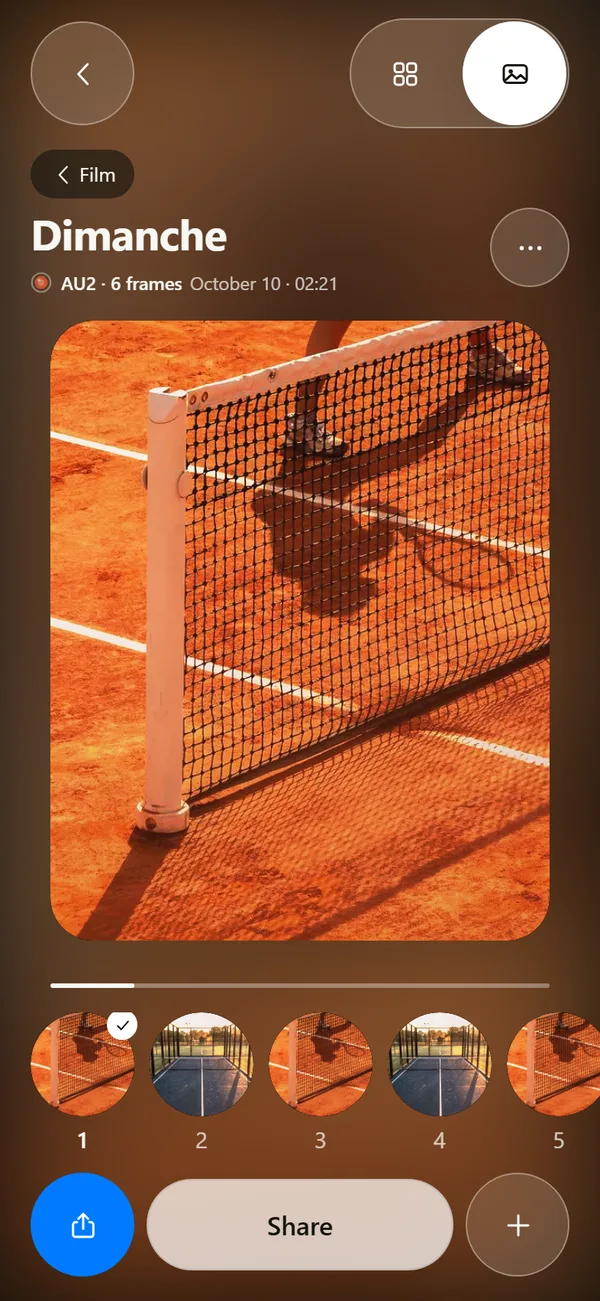
The developed roll opens as a sheet of all frames. Open any frame to see when it was shot, the lens, the film, the grain and halation levels and the place if you allowed location. You can also build a contact sheet for sharing. Frames of a roll are not edited afterwards. Developed rolls move to your archive.
What is the contact sheet?
A contact sheet lays out all the frames of a roll on one page, like a strip of prints. Pick Story 9:16, Feed 4:5 or a print ratio linked to the film's series, then a dark, clay or cream surface. In the current build, Share sends the sheet's caption as text, so keep a screenshot if you want the picture itself.
Frequently asked questions
Why can't I see my photos after shooting a roll?
That is how a roll works in DEUCE. Frames stay hidden until the roll develops at sunrise, like undeveloped film.
Does DEUCE need my location?
Only to calculate local sunrise. If you decline, the app uses a fixed develop time that you can change in Settings.
How many frames are in a roll?
You choose 12, 24 or 36 frames when you load it.
Will I get a reminder when the roll is ready?
DEUCE sends one local notification at sunrise. It is created on your phone, and you can turn it off in Settings.
Can I delete a frame before developing?
No. Frames cannot be viewed or deleted until the roll has developed.
Keep exploring
 46 Film Looks for iPhone Photos46 films with codes, series and a comparison divider.
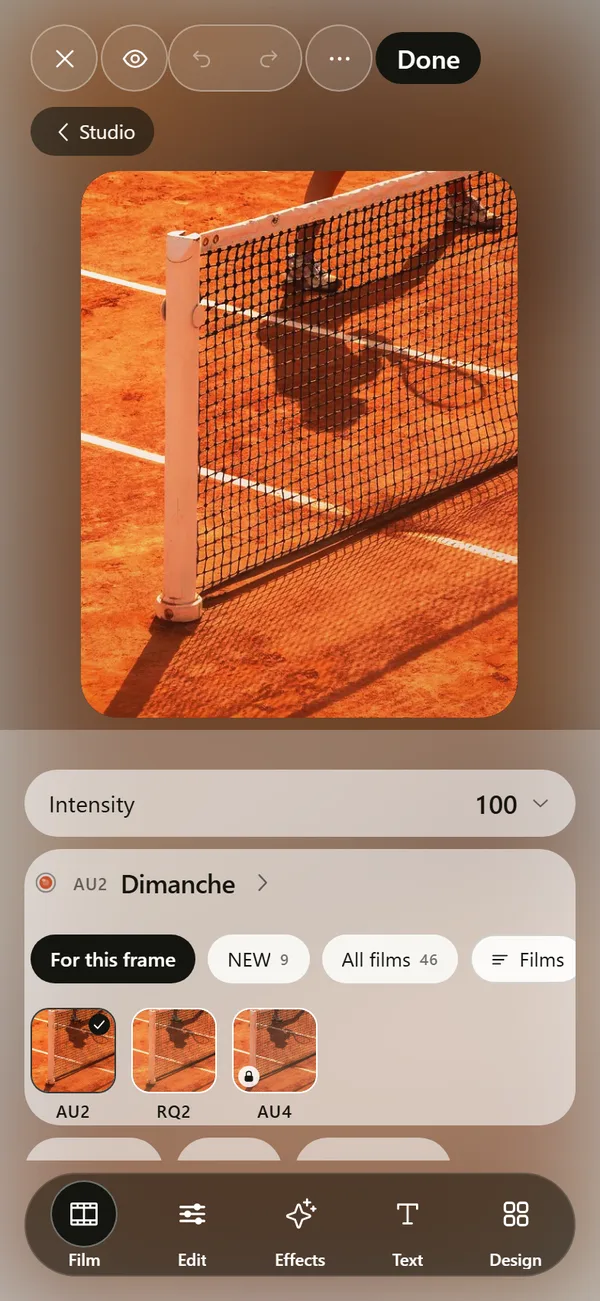 Film Photo Editor for iPhoneFilm, light, effects, text and design tools. Originals stay untouched.Disposable Camera Look on iPhoneWhy a single-use camera feels special and how to recreate it on a phone.DEUCE SupportAnswers about rolls, sunrise, permissions, purchases and export.