 DEUCE
DEUCEInstagram carousel size and ratio: what to use
For an Instagram carousel, the safe choice is 4:5 portrait at 1080 by 1350 pixels. Every slide should share one ratio, because the platform crops all slides to match the first one. Square 1:1 at 1080 by 1080 also works, and 9:16 belongs to Stories.
Coming soon to iPhone
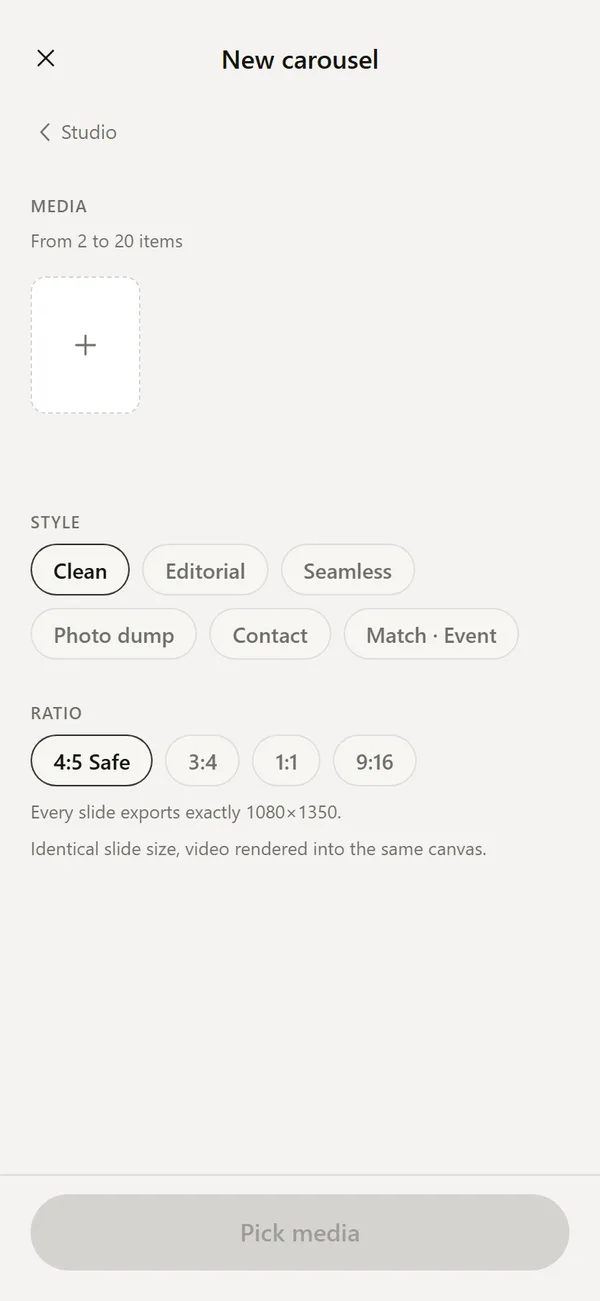
What size should carousel slides be?
Use 1080 by 1350 pixels at 4:5. Portrait takes more space in the feed than square or landscape, and it is the format most people use for photo posts. If your pictures are mostly wide, 1:1 at 1080 by 1080 is the tidy alternative. Instagram has changed supported ratios more than once, so check its Help Center before a big campaign.
Which ratios exist and when do you pick each?
Pixel sizes here are the common targets, not a promise from the platform.
| Ratio | Pixels | Best for |
|---|---|---|
| 4:5 | 1080 x 1350 | Portrait photos, most feed posts |
| 1:1 | 1080 x 1080 | Mixed orientations, tidy grid |
| 3:4 | 1080 x 1440 | Portrait with a bit more height |
| 9:16 | 1080 x 1920 | Stories and Reels, not feed slides |
What happens if slides have different sizes?
In practice the first slide sets the frame, and the following slides are cropped or padded to fit. A landscape photo after a portrait one gets cut at the sides. The fix is to prepare every slide at the same ratio before upload, and to keep the subject away from the edges.
How do you build a carousel with identical slides?
DEUCE does this inside the app, so you do not resize each picture by hand.
- Open Studio, then Design, then Carousel.
- Pick between two and twenty photos or videos.
- Choose a style: Clean, Editorial, Photo dump, Contact or Match and Event.
- Choose a ratio: 4:5 Safe, 3:4, 1:1 or 9:16.
- Press Build, review the slides, change the hero frame if you want and export.
What does Safe mode mean?
In Safe mode every slide exports at exactly the same size, for 4:5 that is 1080 by 1350. DEUCE reads the frames, picks a hero frame automatically, flags near duplicates, and offers three candidates called Recommended, Editorial and Seamless. Details are in stencils and carousels.
How should you order the slides?
Treat the first slide as the headline and the last as the closing beat.
- Slide 1: your strongest frame, since it is the only one many people see.
- Slides 2 to 4: the sequence, such as arrival, warm-up, the first game.
- Middle: details like hands, grip, shoes, the ball.
- Last slide: a quiet one, or a scoreboard slide with the final result.
Can slides flow into each other?
Seamless slides span several panels, so one picture continues across a swipe. DEUCE moves such slides as a group and asks before it breaks the link. Use it for a wide shot of a court or a fairway, and keep the rest simple.
How many slides are enough?
A set of five to ten usually reads well. A longer carousel works if every slide adds something. If two frames are near duplicates, drop one. DEUCE flags those for you, and keeps drafts on the device, up to 40 carousels.
How do you keep the subject safe from cropping?
Leave breathing room around the main subject. The feed can crop slides slightly in the grid view on a profile, and a tight frame loses a hand or a racket head. A safe habit is to keep the key detail inside the central 80 percent of the frame. Shoot a little wider than you think you need, and crop later.
DEUCE crops with a pinch and drag directly on the frame in the editor, and supports the original ratio as well as a free crop, so you can choose the final shape at the end.
How do you make the set look like one story?
A carousel works best when the slides share a look. Apply one film to all of them, then adjust exposure per slide.
- Use one film and one intensity across the set.
- Keep the same text style and position on every slide.
- Alternate wide, medium and detail shots for rhythm.
- Avoid mixing black and white with color unless it is deliberate.
How can you sync the look across slides?
In DEUCE you can copy one slide's style and paste only what you need: film, adjustments, effects, text style, background or layout. Sync applies film, color or the full look to every slide at once. That saves editing each slide by hand and keeps the set consistent. You can also duplicate a slide, move it left or right, or set it as the cover.
Which export settings suit a carousel?
Export at the highest quality available, with Location off if you post publicly. DEUCE builds the final frame at 1440 pixels wide and gives you Maximum, High and Compact. The exact pixel size and a size estimate show on the export screen. For metadata choices, see export and share.
Does a carousel suit every post?
Use a carousel when the story needs several frames, and a single image when one frame carries it. A tennis result with one strong action shot works as a single post with a scoreboard stencil. A match day with arrival, warm-up, rallies and the handshake works as a carousel.
What about Stories and Reels?
Stories and Reels use 9:16, which is 1080 by 1920 pixels. DEUCE can export 9:16 for a story, and its contact sheet offers a Story 9:16 option as well as Feed 4:5. Do not mix them. A Story frame placed in a feed carousel gets cropped hard, and a feed slide placed in a story leaves empty bands at the top and bottom.
What size and ratio should you pick by content type?
If you cannot decide, pick 4:5 and keep it for every post. A consistent size makes your profile grid look tidy.
| Content | Ratio | Pixels |
|---|---|---|
| Match day set | 4:5 | 1080 x 1350 |
| Scoreboard result slide | 4:5 or 1:1 | 1080 x 1350 or 1080 x 1080 |
| Round of golf with hole cards | 4:5 | 1080 x 1350 |
| Quick story with one frame | 9:16 | 1080 x 1920 |
| Mixed landscape and portrait | 1:1 | 1080 x 1080 |
What should the cover slide show?
The cover decides whether anyone swipes. Pick a frame with one clear subject, strong light and room at the edges. DEUCE chooses a hero frame automatically after you press Build, and you can change it by hand. Test the cover at thumbnail size: if you cannot tell what it shows at the size of a postage stamp, choose another one.
A scoreboard slide as the cover tells the result straight away, and a portrait cover draws people to the story behind it. Both work. Pick the one that fits your reason for posting.
Frequently asked questions
What is the best size for an Instagram carousel?
4:5 portrait at 1080 by 1350 pixels is the safe default for photo carousels.
Do all carousel slides need the same ratio?
Yes in practice. The first slide sets the frame, and others are cropped to match, so prepare them equally.
Can a carousel mix photos and video?
Instagram allows it, and DEUCE lets you pick photos or videos when building a carousel.
How many photos can DEUCE put in a carousel?
From two to twenty items.
What does 4:5 Safe mean in DEUCE?
Every slide exports at exactly the same size, 1080 by 1350 for 4:5.
Keep exploring
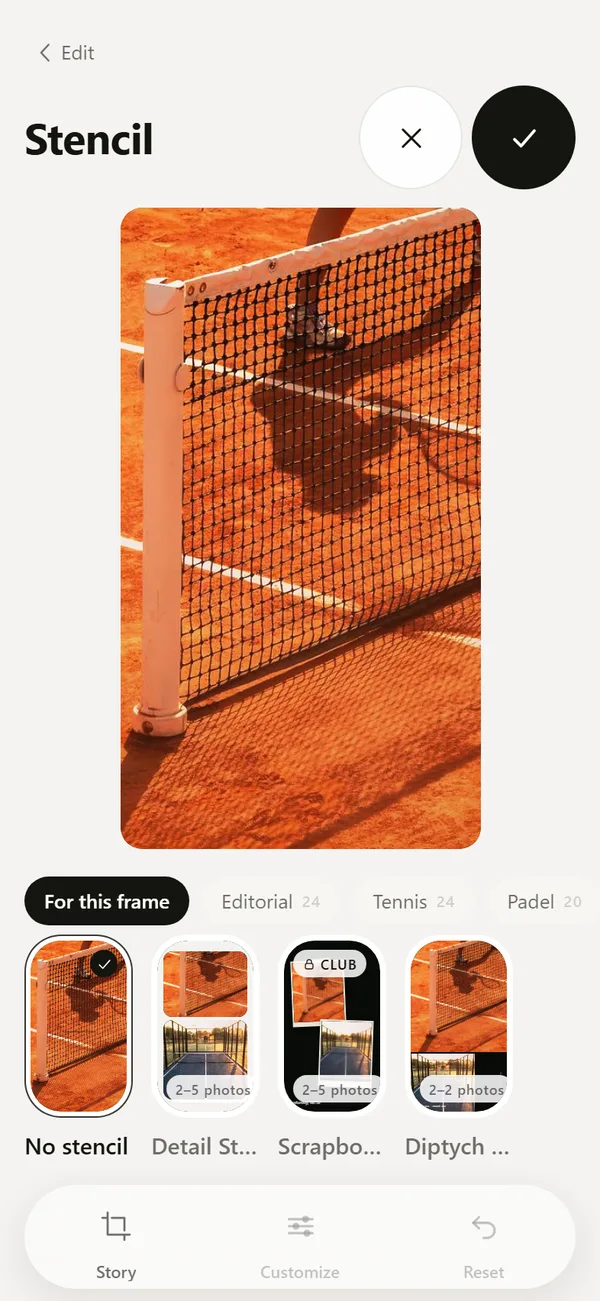 Tennis, Padel and Golf Photo Templates and CarouselsScoreboards, hole cards, club layouts and multi-frame carousels.Photo Dump Ideas and How to Make OneWhat a photo dump is, how many photos to use, ideas by sport and how to build one.
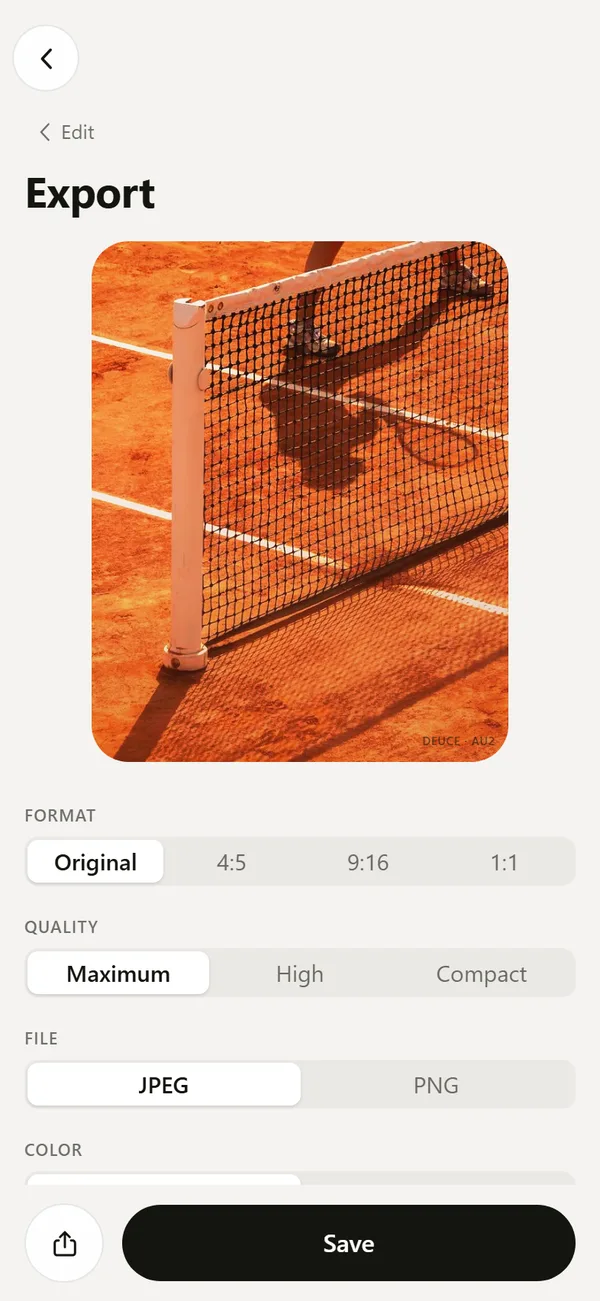 Export Film Photos with Optional EXIF and LocationJPEG or PNG, optional EXIF, no location by default, optional mark.
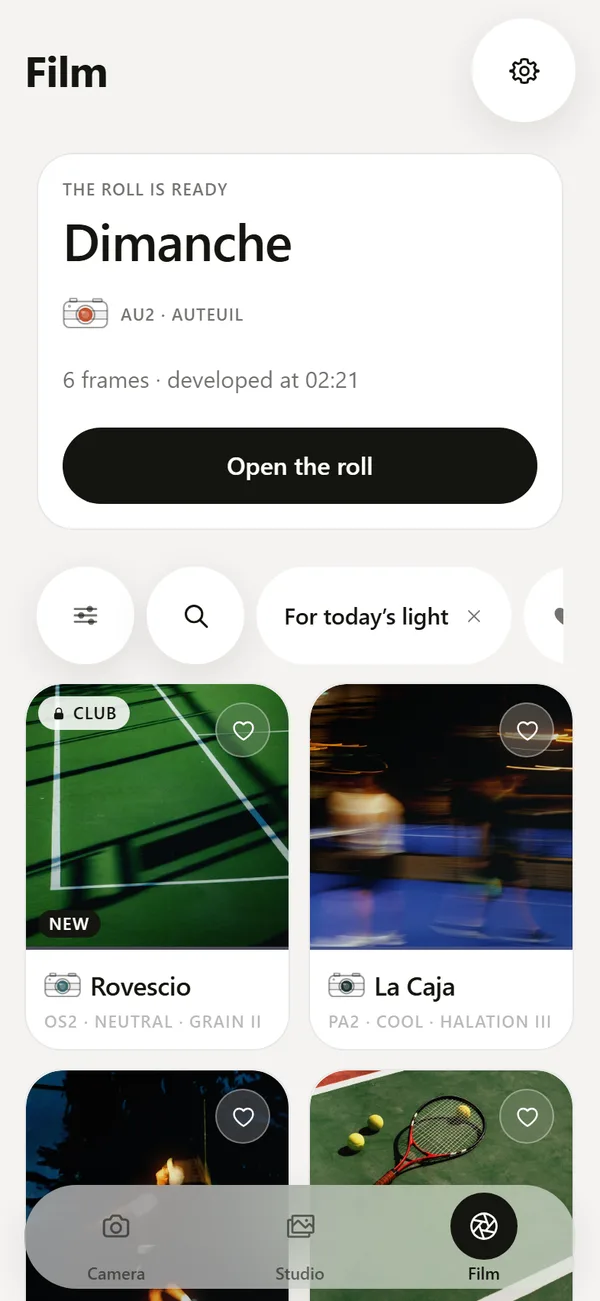 Tennis Photography Tips for Phone PlayersWhere to stand, what to shoot and how to match a film look to the court surface.